Card recognition
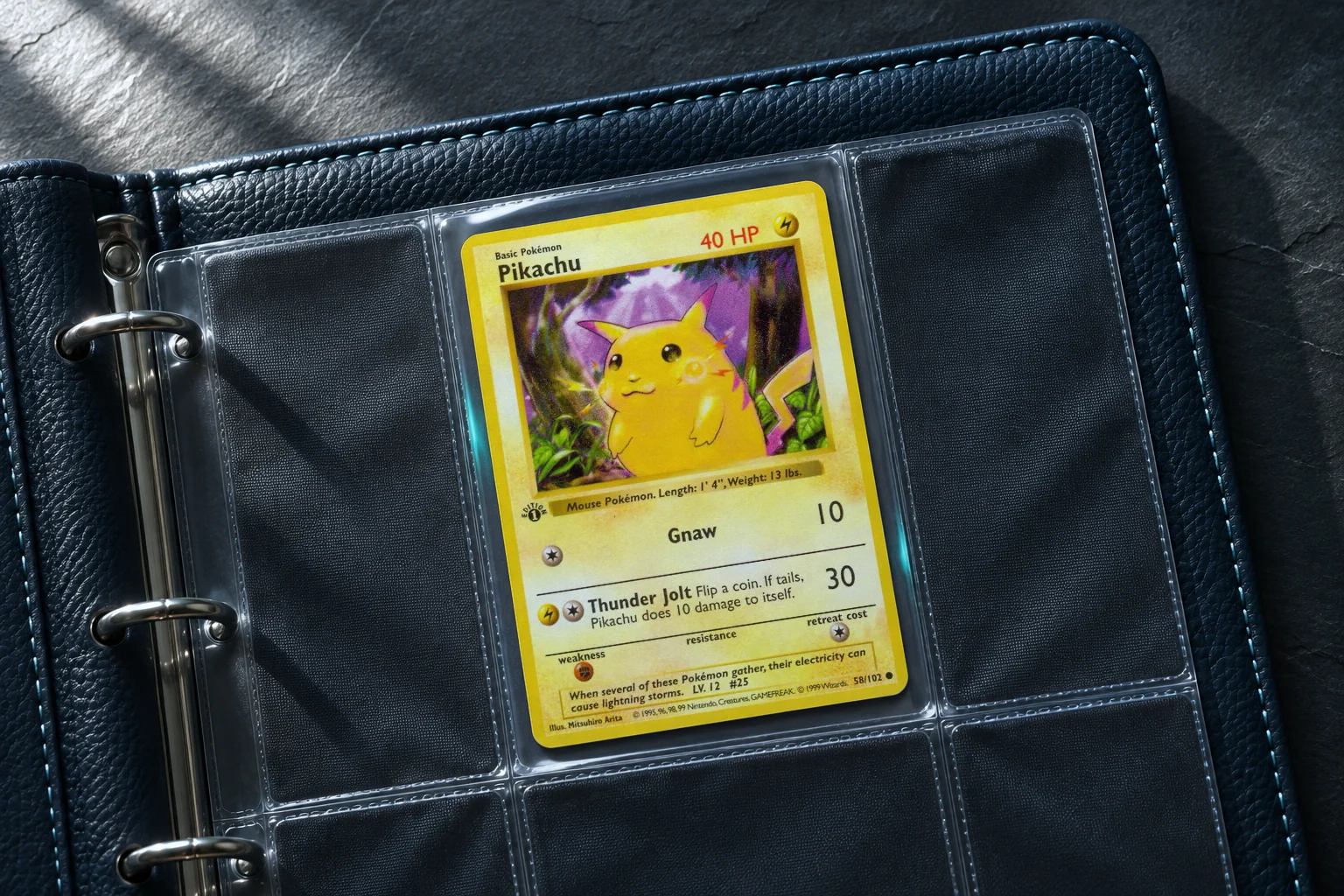
A whole page,
one photo.
Point your camera at a card, a binder sleeve, or a table spread. Snapdex finds individual cards and shows the closest matches for each.
Enlarge scan preview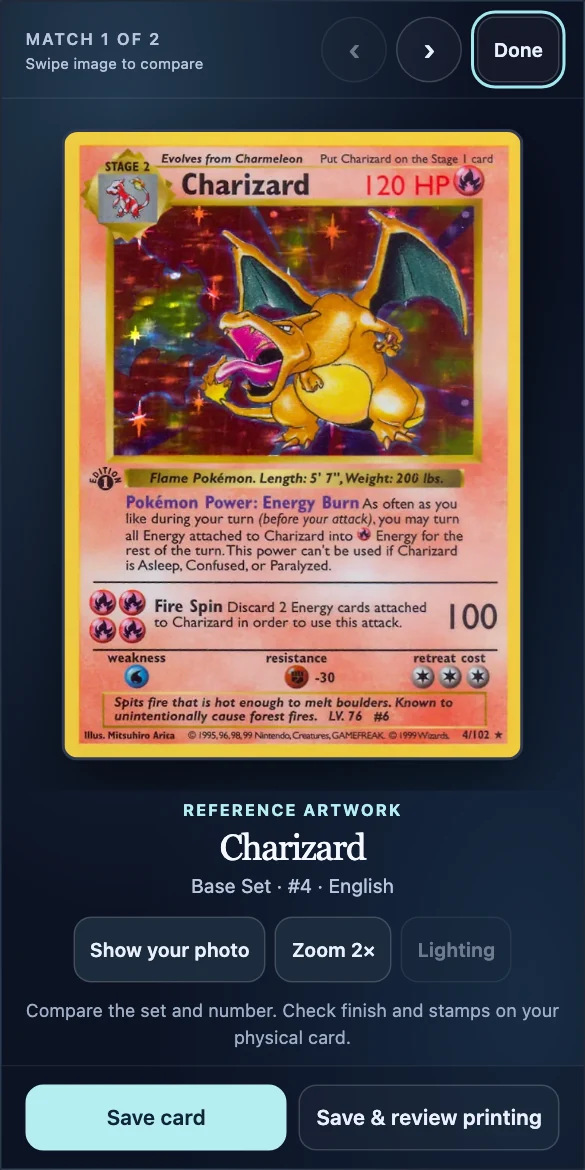
Pokémon card scanner
Scan a card or a whole binder page. Check the printing, then save the copy you hold in your hand.
Inside Snapdex Studio
Card recognition
Point your camera at a card, a binder sleeve, or a table spread. Snapdex finds individual cards and shows the closest matches for each.
Enlarge scan previewPrinting review
Compare the artwork, set, and collector number with your photo. Check the foil finish, edition mark, and promo stamp before saving. You can leave any detail open.
Enlarge printing preview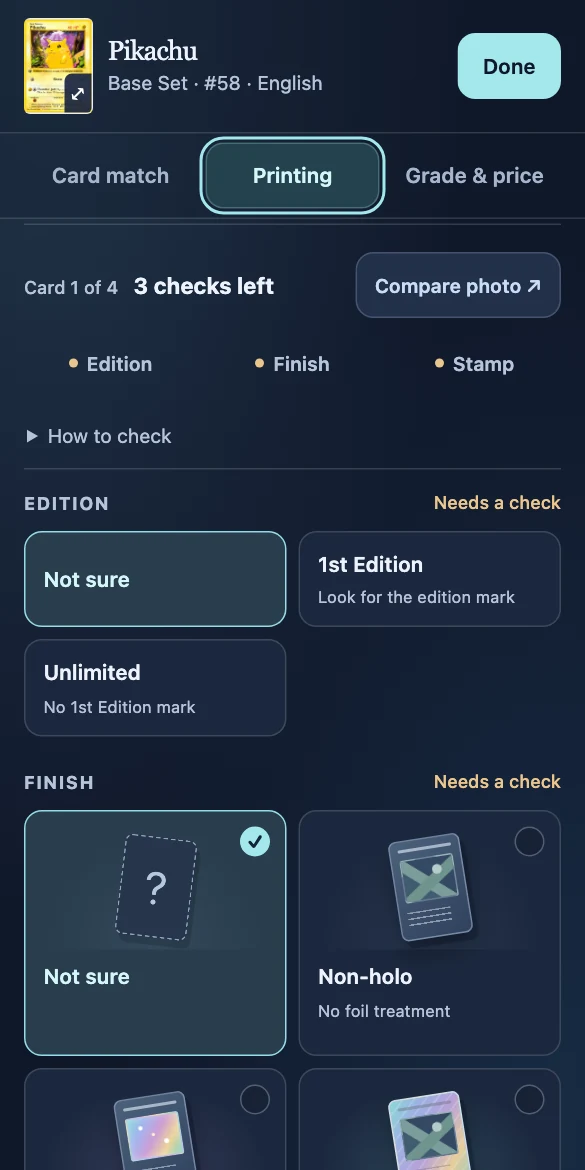
Your collection
Find a card by name, set, or number. Keep duplicates in binders, revisit your photos, and see how many of your cards have a price behind the collection total.
Enlarge collection preview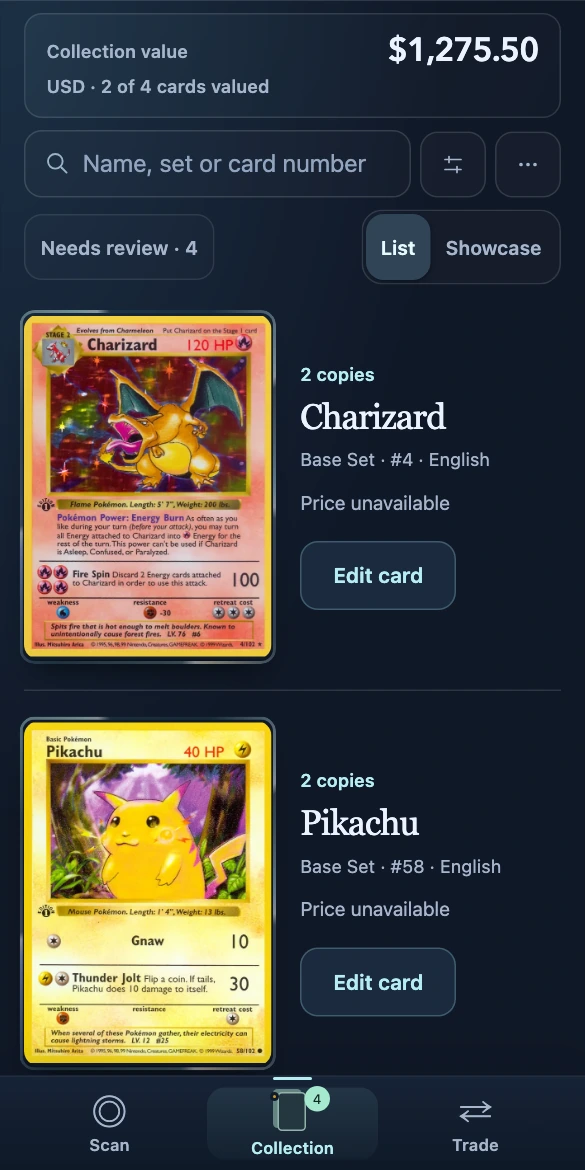
Trade comparison
Compare the cards you give with the cards you get. See which copies have a value and which still need a price before you decide.
Enlarge trade preview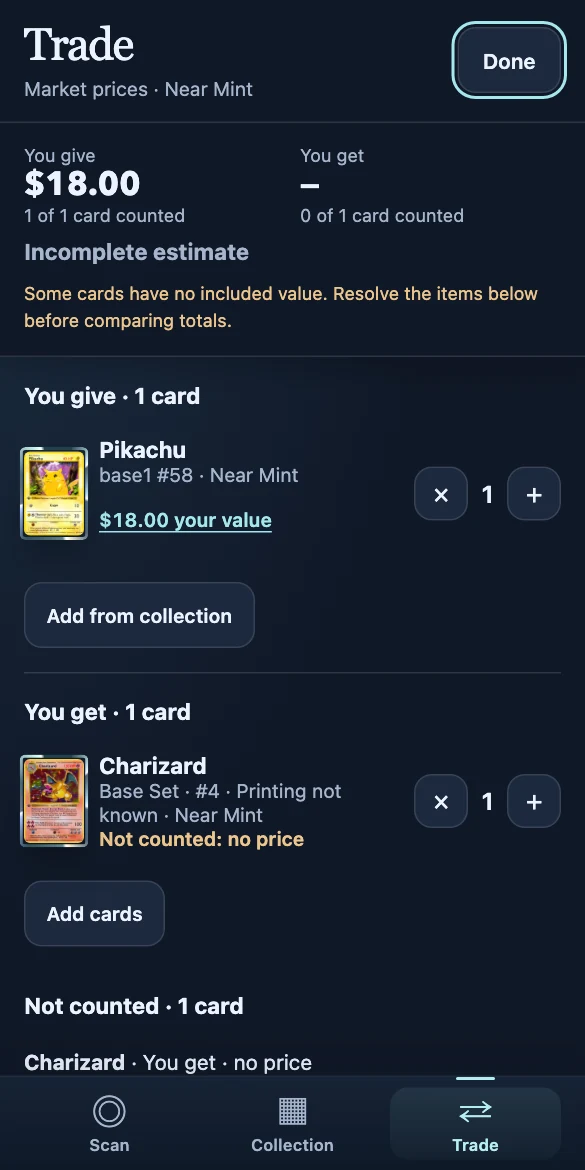
The details
Yes, on supported devices. Open Studio online once, download the recognition files in Settings, and enable “Recognize on this device.” You can then identify and save cards offline. Your collection syncs when you reconnect.
Open the suggested matches and compare your photo with the reference artwork. You can choose the matching set and number and confirm the finish, edition, or stamp yourself. “Not sure” keeps the detail open for later.
Studio is currently invite-only. Leave your email below to be considered for access. If you already have an invitation, use Open Studio to sign in.
Early access
Leave your email for an invitation to Snapdex Studio as access opens.